

LLM caching reduces latency and token costs by reusing previous computation. When a cache stores complete responses, it can also return outdated or inaccurate output without another model call.
Cache-hit rate measures the percentage of requests served from stored results, but a high rate can still include responses that are incorrect, stale, or matched to the wrong request. Teams need evaluation and tracing to determine which requests are safe to cache and whether cached responses continue meeting quality requirements.
This guide covers exact-match, semantic, and provider prompt caching, along with the controls needed for production use. Braintrust Gateway provides exact-match caching, while evaluations and traces connect cache performance with response quality.
How LLM gateway caching reduces costs
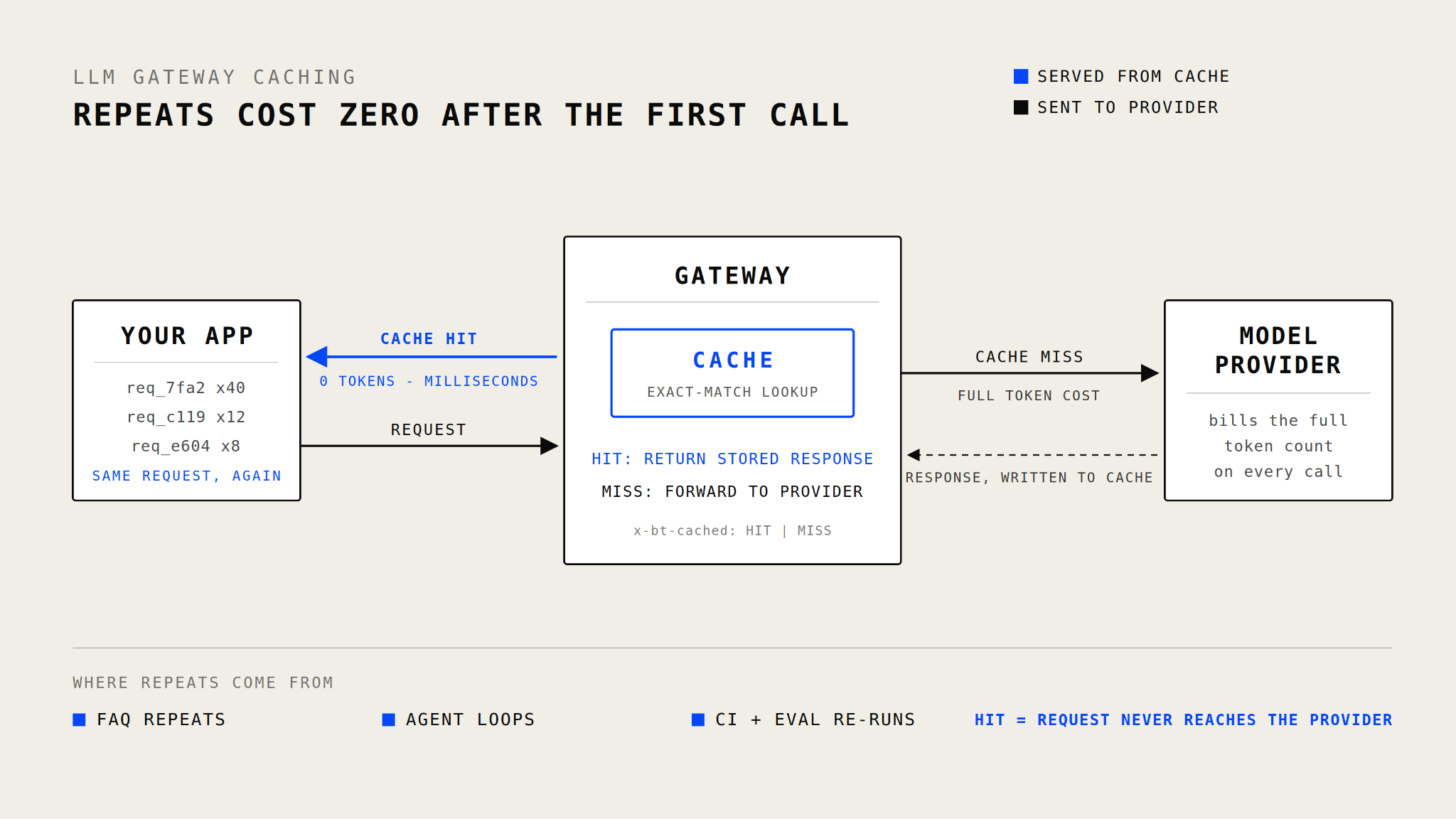
With exact-match caching, repeated requests can be served by the gateway while cache misses continue to the model provider.
An LLM gateway receives each request before forwarding it to a model provider, allowing repeated requests to be checked against a cache first. Braintrust supports exact-match response caching through its Gateway, with configurable TTLs and HIT or MISS headers for tracking cache behavior. A cache hit serves the stored output without another model generation, avoiding input and output token charges for that request while usually reducing response time.
Savings depend on the percentage of requests served from the cache, the token volume of the bypassed model calls, and the configured TTL. Matching rules determine which requests qualify for reuse, so exact-match, semantic, and provider prompt caching can produce different savings from the same traffic.
Also read: Compare LLM gateways across caching, routing, failover, and observability
The three types of LLM caching
LLM caching covers three mechanisms that reuse different parts of a request.
Exact-match caching
How it works: The gateway creates a cache key from the request content, model, and generation parameters. A subsequent request must produce the same key to receive the stored response, so changing a message, parameter, or model typically results in a cache miss.
Best use cases: Exact-match caching works well for repeated evaluation runs, CI tests, deterministic prompts, and applications where identical requests recur. It requires no embedding model or vector database and cannot return a response stored for a differently worded request.
Braintrust support: Braintrust Gateway caching uses exact request matches. The default auto mode caches supported requests when temperature=0 or a seed is set, while always and never provide explicit control. Cached responses expire after one week by default, support per-request TTLs, and return x-bt-cached: HIT or MISS. Braintrust encrypts the cache with AES-GCM using a key derived from the customer's API key.
Other implementations: LiteLLM supports response caching through local memory, disk, Redis, S3, and GCS. Teams that self-host the proxy remain responsible for deploying, securing, and maintaining the cache infrastructure.
Semantic caching
How it works: A semantic cache converts the request into an embedding and compares it with stored requests using a similarity score. When the score exceeds a configured threshold, differently worded requests can receive the same stored response.
Best use cases: Semantic caching can increase hit rates when users express the same intent in different ways, such as recurring support questions. A lower similarity threshold accepts more matches but raises the risk of returning an answer for a related yet different request. A higher threshold reduces incorrect matches while allowing more paraphrases to reach the model.
Platform support: Portkey provides semantic caching on select Enterprise plans with a default similarity threshold of 0.95. The model and other request parameters must still match, and semantic matching is limited to requests below 8,191 tokens with four or fewer messages. Self-hosted deployments require an embedding provider and a Milvus or Pinecone vector database.
LiteLLM supports semantic caching through Redis, Qdrant, or Valkey with configurable thresholds, though the team still supplies the embedding model and runs the vector store.
Braintrust Gateway currently supports exact-match response caching. Teams that require paraphrase matching need a separate semantic cache and can use Braintrust to evaluate the similarity threshold against representative production traffic before enabling response reuse.
Provider prompt caching
How it works: The model provider reuses previously processed computation for an identical prompt prefix, such as a system prompt, tool definition, or long context block. The provider still processes the changing portion of the request and generates a new response, so output tokens continue to incur their standard cost.
Provider behavior: Anthropic supports automatic caching and explicit cache breakpoints. The default cache lasts five minutes, with a one-hour option available at a higher write cost. Five-minute writes cost 1.25 times the standard input rate, one-hour writes cost twice the standard rate, and cache reads cost 10 percent of the standard input rate.
OpenAI automatically caches eligible prompt prefixes of at least 1,024 tokens. Cache-write pricing depends on the model generation, while reused tokens are billed at the model's cached-input rate.
Interaction with gateway caching: A Braintrust Gateway cache hit returns the complete stored response without contacting the provider. When the gateway forwards a cache miss, provider prompt caching can still reuse an eligible prefix. Setting x-bt-use-cache to never disables gateway response caching when a request should rely exclusively on provider caching.
Choosing a caching type for each workload
The appropriate caching type depends on which parts of the request repeat and how quickly the underlying information changes.
| Workload | Recommended caching type | Why |
|---|---|---|
| Identical API requests | Exact-match caching | The gateway can return the stored response when the request content, model, and generation parameters remain unchanged. |
| Differently worded questions with the same expected answer | Semantic caching | Similarity matching can reuse one response across paraphrases, provided the threshold has been validated against representative traffic. |
| Long, repeated system prompts, tool definitions, or fixed context | Provider prompt caching | The provider can reuse an eligible prompt prefix while processing the changing input and generating a new response. |
| Repeated evaluations, CI runs, and development tests | Exact-match caching | Unchanged test requests can reuse earlier outputs. Changes to the prompt, model, or parameters produce a cache miss. |
| Prices, inventory, account state, or other frequently changing data | Short TTL or cache bypass | Complete responses may become inaccurate when the source data changes, so reuse should be limited to a suitable time window or disabled. |
Also read: The best LLM gateways ranked and compared
Why LLM caching needs quality measurement
Suppose a support bot caches an answer stating that the Pro plan costs $29 per month. Two days later, the price changes to $35, but the request still contains no current pricing data. Until the cache entry expires or is bypassed, every identical request receives the outdated answer. The cache hit remains technically successful even though the response is inaccurate.
Production caching requires three quality controls:
- Set TTLs based on data volatility: Stable information can remain cached longer, while prices, inventory, account details, and policies need short TTLs or cache bypass.
- Include current context in the request: Exact-match caching compares the complete request. Adding updated retrieved data or other dynamic context produces a new request and avoids reusing an entry created from older information.
- Evaluate before and after launch: Pre-release evals identify request categories that consistently produce reusable answers. Braintrust online scoring can then evaluate all or a sampled percentage of production traces to surface responses that become inaccurate or stale.
Braintrust also allows teams to attach scores and feedback to logged Gateway spans, connecting each response with its quality result. Teams can use those findings to shorten TTLs, bypass caching for volatile requests, and add failures to regression datasets. The guide to reducing LLM costs with Braintrust covers additional controls for token usage, prompts, and model selection.
Configure caching with Braintrust Gateway
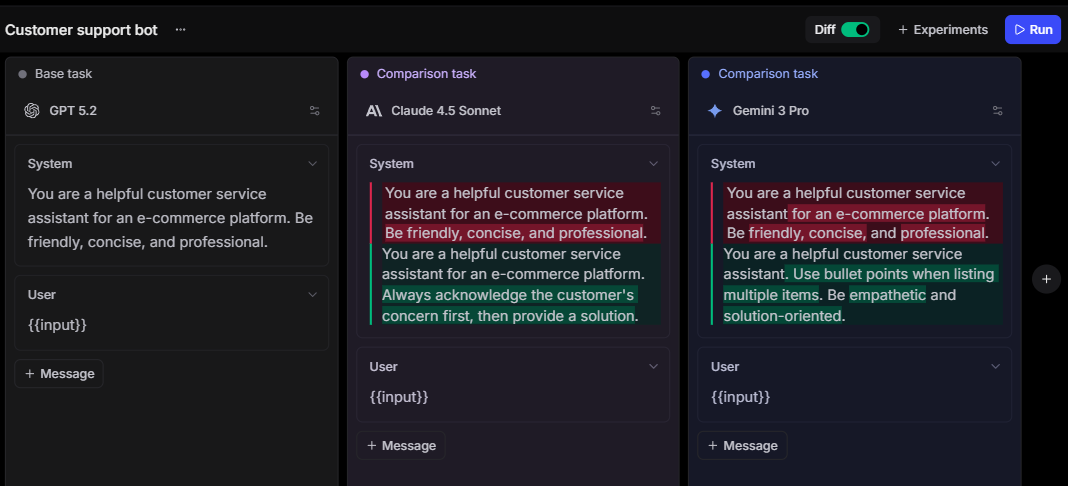
Braintrust Gateway adds exact-match response caching through request headers, so teams can control caching without operating a separate cache service. In the default auto mode, caching applies when a request sets temperature=0 or a seed. The always mode caches every request on a supported path, while the never mode skips cache reads and writes.
A request-specific TTL can be set between 1 and 604,800 seconds with x-bt-cache-ttl. Supported Cache-Control directives allow applications to request a fresh response or prevent storage. Every response returns x-bt-cached: HIT or MISS, and cached responses include an Age header. The Gateway caching documentation lists the supported cache modes and cache control behavior.
Enable always mode by pointing an existing OpenAI client to Braintrust Gateway and adding one header:
const client = new OpenAI({
  baseURL: "https://gateway.braintrust.dev",
  defaultHeaders: {
    "x-bt-use-cache": "always",
  },
  apiKey: process.env.BRAINTRUST_API_KEY,
});
Cache entries are encrypted with AES-GCM and scoped to the requesting user by default, though organizations can opt in to sharing cached results across users. The hosted Gateway is free during beta.
Start using Braintrust Gateway for free →
FAQs about LLM gateway caching (2026)
Does caching reduce LLM output quality?
Because a cache returns a stored response unchanged, caching does not alter the model's original wording or reasoning. Quality can decline when the response is reused after source information, policies, user context, or application requirements have changed. Cached responses carry an Age header, so teams can check how old an answer was when a quality problem surfaces.
Is LLM caching safe for production?
LLM caching can be safe when the cache key includes every input that can change the correct answer and the application has clear invalidation rules. Responses involving permissions, account state, live prices, inventory, or write actions require stricter controls because an identical request may depend on external data that has changed. Production monitoring should separate cache hits from fresh generations so reuse-specific failures remain visible.
Does Braintrust support semantic caching?
Braintrust Gateway currently provides response caching for identical inputs, while semantic matching requires a separate cache layer. Teams can use the two together and evaluate cached and newly generated responses against consistent quality criteria in Braintrust.